



Roamer AI demo · every prompt included

15 prompts from a blank site to an open online store

This is a real Roamer AI conversation. We set up a brand-new WordPress site and played a Taiwanese tea brand, Qingyu Tea. We only described the feel we wanted, and the AI custom-designed every layout. From the first message to the first customer order, every prompt, everything the AI did and every result is here, in order.

15prompts
71 minof AI work
5 pagesbrand site + store
3/3test orders succeeded

Qingyu Tea is a fictional brand; phone numbers, addresses and bank details are sample data. Prompts are translated from the original Traditional Chinese conversation, and Roamer AI works in English too.

Qingyu Tea · built by Roamer AI
The Qingyu Tea home page built by Roamer AI, desktop
The Qingyu Tea home page, mobile
View the full site

Demo site in Traditional Chinese. The brand is fictional: browse and add to cart freely, but no real orders are placed.

Before and after

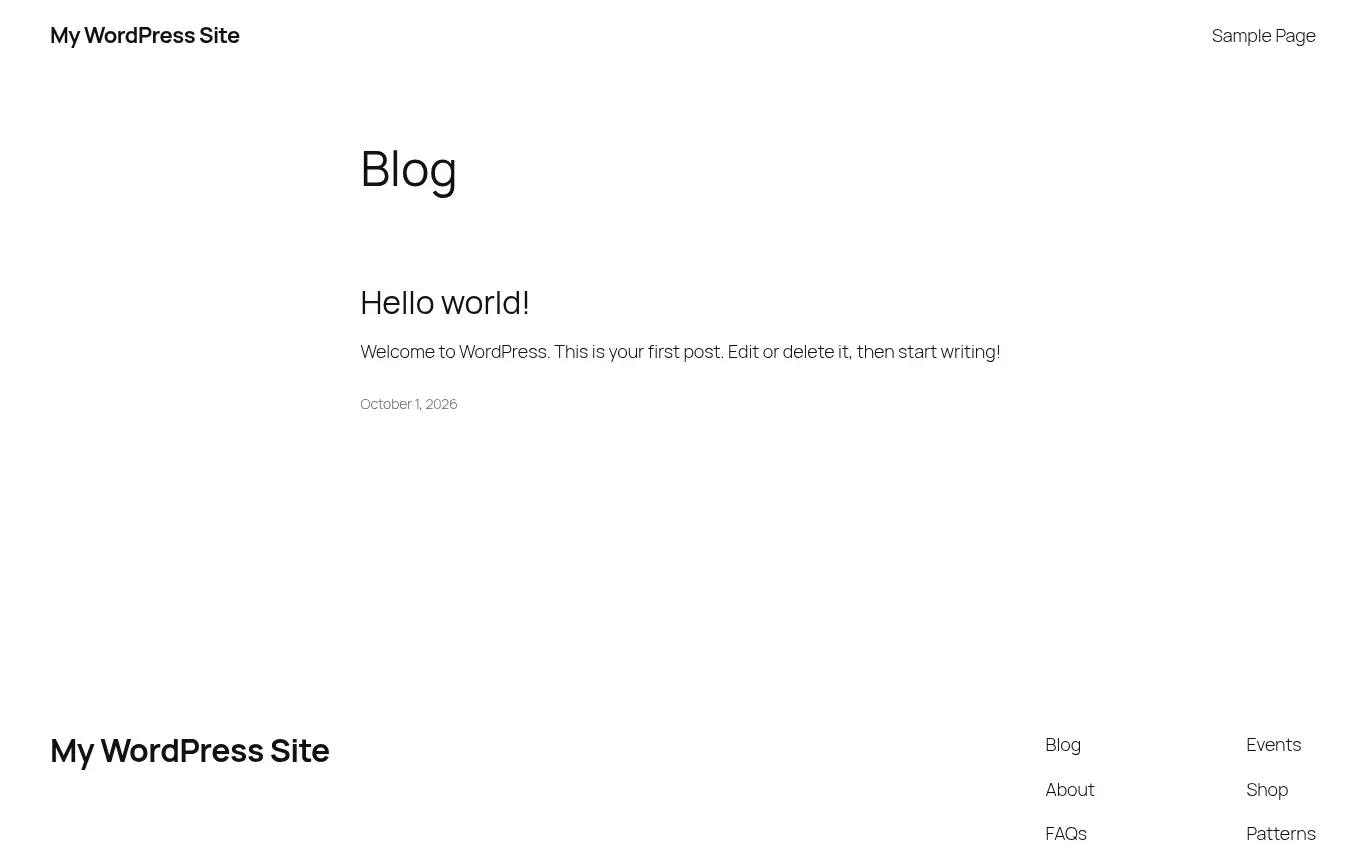
Left: a fresh WordPress install. Right: 71 minutes later.

No one wrote code, laid out pages or applied a template. There was only a conversation between the member and Roamer AI. Drag the handle to compare.

Before: the default WordPress home page After: the Qingyu Tea home page BeforeAfter

Interactive demo · both images are real screenshots

5

pages plus site-wide header and footer

10

photos generated by AI

3

products, 2 payment methods

3

shipping rules, islands included

The full process

What was said, and what the AI did

On the left is what each step produced: hover to scroll the full page, click to enlarge. On the right is the conversation. Dark bubbles are the member's messages; expand them and copy them as they are.

First prompt・AI worked 28 sec · no site changes

Introduce yourself and ask for a review

Before: a fresh WordPress install

Member

Hi, I just set up this WordPress site. I want to build a brand site and online store for our tea brand, Qingyu Tea. We sell Taiwanese high-mountain oolong, Oriental Beauty and black tea, and our customers are office workers aged 25–45 who care about quality living. First, take a look at the site as it is now and tell me the best way to proceed.

Done: 4 actions

  • Read site info
  • Check plugins and theme
  • Check URLs and caching
  • List existing pages

Roamer AI

I've looked at the site. It's a fresh install that hasn't been set up yet. I suggest four phases: basic settings, brand design, the store, then pages and finishing touches. Tea brands easily end up in the cliché of dark green, gold and traditional serif type, and I'll steer clear of that. Before I start, please fill in some details. I won't make up contact details or prices; only what you provide goes on the site.

Prompt tip

Your first message should cover three things: who you are, what you want to build, and who it is for. Then ask it to review the site and suggest a plan. Roamer AI takes stock and lists a plan first instead of changing your site right away.

Home page design・AI worked about 12 min

Share the details, describe the feel, start with the home page

Member

Brand story: we're second-generation tea makers working under contract with small farms in Alishan and Pinglin. We stick to natural farming and light roasting, and we want busy office workers to enjoy a proper cup of tea. Tagline: "From misty mountain isles to your cup." Phone 02-2345-6789, email [email protected] Store: No. 100, Sec. 1, Fuxing S. Rd., Da'an District, Taipei. Open Mon–Fri 10:00–19:00, closed weekends Products: Alishan High-Mountain Oolong 150g NT$680, Oriental Beauty 75g NT$880, Sun Moon Lake Ruby Black Tea 100g NT$520 No logo. I want it to feel like brewing the first pot of tea on a mountain at dawn: quiet, with plenty of white space and layers of mist you can see. Make it a bit younger, like a lifestyle brand. Not the red-and-gold gift-box look of a traditional tea shop, and not old-fashioned Chinese style either. We'll handle payment and shipping later. You decide the design direction. Build the home page, header and footer first; once I've seen them and like them, we'll do the other pages.

Done: 8 actions

  • Site in Traditional Chinese, Taipei time zone
  • Set site name and tagline
  • Install Elementor
  • Design concept: "Morning Mist Notes"
  • Generate 3 misty tea-field photos with AI
  • Write its own layouts and site-wide styles
  • Site-wide header, footer and menu
  • Screenshot desktop and mobile

Roamer AI

The home page and the site-wide header and footer are done. The design concept is "Morning Mist Notes": the whole home page reads like a page of notes jotted down on a mountain at dawn, as the mist pulls back from the ridgelines layer by layer and finally settles on the cup of tea in your hands. The hero and footer have three layers of slowly drifting mist over the ridgelines. Each section opens with a time, like a timestamp in a notebook: 05:30 Mist rising, 06:10 Tea menu, 06:40 Tea makers, 07:00 Kettle on, 10:00 Store opens (your actual opening time). The palette is mist white, mist gray and ink, with a touch of dawn orange as the accent. I deliberately avoided the dark green with gold, the red-and-gold gift boxes and the traditional serif type common to tea shops.

Prompt tip

You don't need design jargon. Describe the feel with one scene ("like brewing the first pot of tea on a mountain at dawn"), then say what you don't want. The AI designs around your words instead of picking from a template. Do the home page first and move on once you like it; if the direction is off, it's easy to change.

Other pages・AI worked about 17 min

Like the home page? Build the rest in the same style

Member

Love the home page! Build four pages in the same style: "About Qingyu," "Our Teas," "Brewing Guide" and "Contact Us." Contact Us needs a form where people can leave a message. When they're done, point the menu to these pages.

Done: 5 actions

  • Generate 7 photos with AI
  • Create a contact form
  • Build 4 pages
  • Point the menu to the new pages
  • Screenshot every page

Roamer AI

All four pages are built and live, and the navigation menu now links to them. They carry on the home page's "Morning Mist Notes": every page opens with misty ridgelines, and the time labels on the sections keep moving forward: Before dawn (About) → 06:10 Tea menu (Our Teas) → 07:00 Kettle on (Brewing Guide) → 10:00 Store opens (Contact). Please check: the brewing parameters are general recommendations, and I wrote the tea-making steps and the "What we don't do" section based on your brand story. Let me know anywhere they differ from how you actually work.

Prompt tip

Say "in the same style," and new pages reuse the colors, fonts and visual motifs set on the home page. The AI flags any content it wrote on its own and asks you to check it, so be sure to read it over.

Tweaks・AI worked about 2 min

Something misaligned? Say exactly what looks off

Member

All four pages look great! One small thing: on my computer, the big heading at the top of the home page and the text below it sit further left than "Qingyu Tea" in the top-left corner, almost touching the edge of the screen, so they don't look aligned. The top headings on the other pages have the same problem. Please fix every page. Also, I'd like to change the home page's main heading to "A breath of mountain mist, a cup of good tea."

Done: 5 actions

  • Find the margin calculation issue
  • Unify site-wide margins
  • Align all 5 pages
  • Change the home page heading
  • Verify with screenshots

Roamer AI

Alignment is fixed on all five pages, and the home page heading now reads "A breath of mountain mist, a cup of good tea." The cause: the hero text sits only in the left half-column, and its left margin was calculated from that half-column's width, so it shrank to the 24px minimum and looked like it was touching the edge of the screen. Left and right margins are now calculated from the full screen width across the site, so all five pages line up with "Qingyu Tea" at once. The browser tab and footer still show the original tagline. You only asked to change the home page heading, so I left those two alone. Want me to switch them to the new line too?

Prompt tip

When reporting a problem, say what device, where on the page, and what it looks like, for example "on desktop, the big heading sits further left than the brand name in the top-left corner." You don't need to know the cause; the AI looks into it.

Start selling・AI worked about 5 min

Set up the store and list three teas

Member

Great! Keep the original tagline. Let's set up the store: list all three teas, use the product photos you generated earlier, and create two categories: "Oolong" and "Black Tea." Change the "Order inquiry" and "Message to order" buttons on the home page and the Our Teas page so people can buy directly.

Done: 7 actions

  • Install WooCommerce
  • Currency TWD, country Taiwan
  • Prices without decimals
  • Create 2 categories
  • List 3 teas
  • Turn 6 buttons into Add to cart
  • Store pages in Chinese

Roamer AI

The store is set up, all three teas are listed, and the order buttons on the home page and the Our Teas page now say "Add to cart." Visitors can't actually place orders yet, though: the store is still in WooCommerce's default "coming soon" mode. Once payment and shipping are set, I can open the store for you. After launch, I'll also restyle the product, cart and checkout pages in the same "Morning Mist Notes" style.

Prompt tip

You can tell it to reuse earlier work ("use the photos you generated earlier") instead of providing things again. It tells you plainly what is not done yet instead of pretending the store is ready.

Payment and shipping・AI worked about 6 min

Give the payment and shipping rules, then launch

Member

Enable bank transfer and cash on delivery. Bank account: Cathay United Bank (013), Da'an Branch, account name Qingyu Tea Co., Ltd., account number 1234-5678-9012. Shipping: NT$100 flat for home delivery on Taiwan's main island, free over NT$1,500. No in-store pickup for now, and no inventory tracking yet. Once everything's set, open the store.

Done: 7 actions

  • Enable bank transfer
  • Enable cash on delivery
  • Create a Taiwan shipping zone
  • Free shipping over NT$1,500
  • Hide paid shipping above the threshold
  • Restyle store pages to match
  • Turn off coming-soon mode

Roamer AI

The store is open. Payment and shipping are set, and the store pages now share the same style as the rest of the site. While testing, I found a problem: with NT$1,760 in the cart, the system still preselected "Home delivery NT$100," so customers who didn't notice would pay for shipping. I added a small code snippet, and now only "Free home delivery" shows once an order qualifies. I didn't actually go through checkout. Please place one test order with bank transfer and one with cash on delivery yourself to make sure the pages, bank details and notification emails are all correct.

Prompt tip

Describe payment and shipping as rules: which payment methods, how much shipping costs, and the free-shipping threshold. Give account details exactly; the AI puts them on the order confirmation page and email. It also asks about cases you didn't think of, such as the outlying islands.

Test purchase・AI worked about 4 min

Place two test orders and report what looks odd

Member

I placed one test order on my computer and one on my phone. Both went through, and the shipping was calculated correctly. But a few things look off: 1. On mobile, the menu button in the top-right corner isn't right-aligned; it's stuck somewhere right of center 2. On the order confirmation page, the headings "Our bank details," "Order details" and "Billing address" are very bold and the table borders are heavy. They don't match the thin, delicate style of the rest of the site 3. The bank details say "分類代碼 (category code): Da'an Branch," which I don't understand. It should be "分行" (branch), right? 4. The address shows as "台北市, 大安區 106" (city, district, postal code), but the Taiwanese way to write it is "106 台北市大安區..." (postal code first, then city and district) Please fix these.

Done: 5 actions

  • Right-align the mobile menu button
  • Thin-line style for the order confirmation page
  • Change "category code" to "branch"
  • Taiwanese address format
  • Re-screenshot both test orders

Roamer AI

All four issues are fixed, and I took new screenshots of both of your test orders to confirm. "Category code" was a WooCommerce translation problem: the overseas banking term "sort code" had been translated literally as 分類代碼 (category code), but in Taiwan it's simply the branch. The address now reads "106 台北市大安區復興南路一段 100 號" (postal code first, the Taiwanese order), and older orders use the new format automatically. Two more small things: there's a space in the middle of names, and the checkout form fields are in the opposite order from what people in Taiwan are used to. Let me know if you want those changed.

Prompt tip

Before launch, always buy something yourself once on a computer and once on a phone. Number the problems you see and send them in one message; the AI works through and reports on each one.

Add features・AI worked about 4 min

Add a cart icon and a shop link to the header

Header cart icon on desktop (top) and mobile (bottom)

Member

Fixed, thanks! No need to change the names or field order for now. Two more things: add a cart icon to the top-right of the header that shows how many items are in it, and add "Shop Online" to the menu, linking to the store page.

Done: 5 actions

  • Add a cart icon to the header
  • Show the item count
  • Unaffected by page caching
  • Add "Shop Online" to the menu
  • Add an item to verify the count

Roamer AI

Both done. At the far right of the header is a small shopping bag drawn in thin lines, and a dawn-orange dot at its top-right shows the total number of items in the cart. When the cart is empty, no number shows. The site uses page caching, so I added a small script that updates the count from each customer's own cart after the page loads. The "Shop Teas" button in the header currently links to the Our Teas page. Its name is very close to "Shop Online," so customers might get confused. Your call on how to handle it.

Prompt tip

When you ask for a feature, also say what result you want ("shows how many items"). The AI checks its work against that result.

Before launch・AI worked about 9 min

Full-site check: is it ready to go public?

Member

Point the "Shop Teas" button in the header to the store page. Finally, do a full check of the whole site: look at every page on desktop and mobile, make sure all links work and the checkout flows smoothly, fix anything that's wrong, and tell me if it's ready to go public.

Done: 7 actions

  • Point the header button to the store
  • Screenshot every page on desktop and mobile
  • Check every link
  • Test the checkout flow
  • Remove sample content
  • Add a Chinese privacy policy
  • Fix 6 issues

Roamer AI

I checked the whole site and fixed 6 issues along the way, including: unpublishing the sample page that comes with WordPress, adding a Chinese privacy policy, changing the English privacy notice on the checkout page to Chinese, and restyling the "My Account" login page to match. The privacy policy uses wording common on typical websites. It isn't legal advice, so please read it over. Before going public, I suggest handling two things: there's no return and exchange policy yet (Taiwan's Consumer Protection Act requires online sellers to tell customers how to return items), and you should decide whether order notification emails should go to your brand inbox.

Prompt tip

Before launch, ask it to look at every page on desktop and mobile, then ask directly: "Is it ready to go public?" It reports what it already fixed and what needs your decision, and reminds you to read any legal content yourself.

Finishing touches・AI worked about 6 min

Set up notification emails and SEO in one go

Member

Send the notification emails to [email protected]. I'll get back to you on the return policy once I've worked it out. Please also set the SEO titles and descriptions for each page.

Done: 6 actions

  • Order notifications to the brand inbox
  • Customer replies to the brand inbox
  • Install Rank Math SEO
  • SEO for 10 pages and products
  • Generate a sitemap
  • Check each page on the live site

Roamer AI

Order notification emails now go to [email protected], and SEO titles and descriptions are set for 10 pages and products. I checked each page on the live site, and they're all in effect. Titles follow the format "Topic | Key point | Qingyu Tea," and every description is drawn from content on the page. I also fixed a problem along the way: when customers replied to an order confirmation email, the reply used to go to the platform's sending address; now it goes to [email protected]. I only generated the emails in a simulation and didn't actually send any, so I suggest placing another test order to confirm they arrive.

Prompt tip

For things you're not familiar with (like SEO), just say "please set it up." It tells you clearly what it installed, which pages it changed and what it couldn't actually test.

After launch・AI worked about 2 min

Add outlying-island shipping

Member

Thanks! We also want to ship to the outlying islands: Penghu, Kinmen and Matsu at NT$250, free over NT$3,000.

Done: 5 actions

  • Create an island shipping zone
  • Place it before the main island
  • Island delivery NT$250
  • Free over NT$3,000
  • Test 3-, 5- and 6-digit postal codes

Roamer AI

Penghu, Kinmen and Matsu can all place orders now. Island shipping is NT$250, free over NT$3,000; Taiwan's main island stays at NT$100, free over NT$1,500. I calculated shipping with real products for Penghu and for Taipei, and island addresses are recognized correctly whether customers enter a 3-, 5- or 6-digit postal code. I only simulated the shipping calculation and didn't actually submit an order. Try a test order with an island postal code such as 88041.

Prompt tip

Changes after launch take one message too. It thinks through edge cases (like customers entering 5-digit postal codes) and tells you clearly what it tested and what you still need to verify.

Safety built in

It asks before anything risky, and "undo" takes it back

Later in the same conversation, the member tried updating the site and disabling a plugin. Roamer AI skips work that isn't needed, and for risky changes the system issues a confirmation code. Nothing runs until the member approves it.

The dashboard says there's a new WordPress version. Please update WordPress and all plugins.

I checked, and this site doesn't need any updates right now, so I didn't run any. WordPress, all 10 plugins and the theme are already on the latest versions. The notice you saw was most likely left over from before the system automatically applied a security update.

It checks first: nothing to update means no changes.

My friend says we don't need the Rank Math SEO plugin. Please disable it.

Nothing has been disabled yet. Disabling a plugin needs your approval before the system will do it. I checked first, and nothing else depends on it, but disabling it would drop the search titles and descriptions on 10 pages and products. Rank Math is already installed and configured, so I'd suggest keeping it.

Confirm PAYC

Rank Math SEO is now disabled. I opened and checked every page, and the site works normally. After it was disabled, the built-in sitemap wouldn't load, so I fixed that too.

On second thought, you're right. Undo that.

Undone. Rank Math is active again, and the SEO titles and descriptions set earlier are all back. I checked each page.

A snapshot before every change

The site is backed up automatically before each change, so any step can be undone.

You approve risky changes

Disabling plugins, updates, theme switches and restores need a confirmation code that only you can approve.

It checks its own work

Desktop and mobile screenshots after each change, and it tells you plainly what it could not test.

The result

Here's the finished site

Five brand pages plus the shop, product, cart and checkout pages, all built and checked by Roamer AI.

The site is still live. Go have a look aroundwp-8qatuqci.roamerhost.com
View the full site

Demo site in Traditional Chinese. The brand is fictional: browse and add to cart freely, but no real orders are placed.

All prompts

Follow this order and you can build one too

On the left are the prompts from this demo. On the right are templates with blanks. Replace the [brackets] with your details and send them to Roamer AI one at a time.

Demo prompts (11)

  1. 1

    First prompt · Introduce yourself and ask for a review

    Hi, I just set up this WordPress site. I want to build a brand site and online store for our tea brand, Qingyu Tea. We sell Taiwanese high-mountain oolong, Oriental Beauty and black tea, and our customers are office workers aged 25–45 who care about quality living. First, take a look at the site as it is now and tell me the best way to proceed.

  2. 2

    Home page design · Share the details, describe the feel, start with the home page

    Brand story: we're second-generation tea makers working under contract with small farms in Alishan and Pinglin. We stick to natural farming and light roasting, and we want busy office workers to enjoy a proper cup of tea. Tagline: "From misty mountain isles to your cup." Phone 02-2345-6789, email [email protected] Store: No. 100, Sec. 1, Fuxing S. Rd., Da'an District, Taipei. Open Mon–Fri 10:00–19:00, closed weekends Products: Alishan High-Mountain Oolong 150g NT$680, Oriental Beauty 75g NT$880, Sun Moon Lake Ruby Black Tea 100g NT$520 No logo. I want it to feel like brewing the first pot of tea on a mountain at dawn: quiet, with plenty of white space and layers of mist you can see. Make it a bit younger, like a lifestyle brand. Not the red-and-gold gift-box look of a traditional tea shop, and not old-fashioned Chinese style either. We'll handle payment and shipping later. You decide the design direction. Build the home page, header and footer first; once I've seen them and like them, we'll do the other pages.

  3. 3

    Other pages · Like the home page? Build the rest in the same style

    Love the home page! Build four pages in the same style: "About Qingyu," "Our Teas," "Brewing Guide" and "Contact Us." Contact Us needs a form where people can leave a message. When they're done, point the menu to these pages.

  4. 4

    Tweaks · Something misaligned? Say exactly what looks off

    All four pages look great! One small thing: on my computer, the big heading at the top of the home page and the text below it sit further left than "Qingyu Tea" in the top-left corner, almost touching the edge of the screen, so they don't look aligned. The top headings on the other pages have the same problem. Please fix every page. Also, I'd like to change the home page's main heading to "A breath of mountain mist, a cup of good tea."

  5. 5

    Start selling · Set up the store and list three teas

    Great! Keep the original tagline. Let's set up the store: list all three teas, use the product photos you generated earlier, and create two categories: "Oolong" and "Black Tea." Change the "Order inquiry" and "Message to order" buttons on the home page and the Our Teas page so people can buy directly.

  6. 6

    Payment and shipping · Give the payment and shipping rules, then launch

    Enable bank transfer and cash on delivery. Bank account: Cathay United Bank (013), Da'an Branch, account name Qingyu Tea Co., Ltd., account number 1234-5678-9012. Shipping: NT$100 flat for home delivery on Taiwan's main island, free over NT$1,500. No in-store pickup for now, and no inventory tracking yet. Once everything's set, open the store.

  7. 7

    Test purchase · Place two test orders and report what looks odd

    I placed one test order on my computer and one on my phone. Both went through, and the shipping was calculated correctly. But a few things look off: 1. On mobile, the menu button in the top-right corner isn't right-aligned; it's stuck somewhere right of center 2. On the order confirmation page, the headings "Our bank details," "Order details" and "Billing address" are very bold and the table borders are heavy. They don't match the thin, delicate style of the rest of the site 3. The bank details say "分類代碼 (category code): Da'an Branch," which I don't understand. It should be "分行" (branch), right? 4. The address shows as "台北市, 大安區 106" (city, district, postal code), but the Taiwanese way to write it is "106 台北市大安區..." (postal code first, then city and district) Please fix these.

  8. 8

    Add features · Add a cart icon and a shop link to the header

    Fixed, thanks! No need to change the names or field order for now. Two more things: add a cart icon to the top-right of the header that shows how many items are in it, and add "Shop Online" to the menu, linking to the store page.

  9. 9

    Before launch · Full-site check: is it ready to go public?

    Point the "Shop Teas" button in the header to the store page. Finally, do a full check of the whole site: look at every page on desktop and mobile, make sure all links work and the checkout flows smoothly, fix anything that's wrong, and tell me if it's ready to go public.

  10. 10

    Finishing touches · Set up notification emails and SEO in one go

    Send the notification emails to [email protected]. I'll get back to you on the return policy once I've worked it out. Please also set the SEO titles and descriptions for each page.

  11. 11

    After launch · Add outlying-island shipping

    Thanks! We also want to ship to the outlying islands: Penghu, Kinmen and Matsu at NT$250, free over NT$3,000.

Templates

First prompt

Hi, I just set up this WordPress site. I want to build a website [and online store] for [brand name]. We sell [products or services], and our customers are [age, role, interests]. First, take a look at the site as it is now and tell me the best way to proceed.

Home page design

Brand story: [two or three sentences]. Tagline: "[tagline]". Phone [ ], email [ ] Store: [address], open [hours] Products: [name, size, price], [name, size, price] [Logo or no logo]. I want it to feel like [a scene]: [three adjectives]. Not [the look you don't want]. You decide the design direction. Build the home page, header and footer first; once I've seen them and like them, we'll do the other pages.

Other pages

Love the home page! Build "[page 1]," "[page 2]" and "[page 3]" in the same style. When they're done, point the menu to these pages.

Try a different feel

[Which section of which page] feels too [plain / cramped / cold]. I'd like it more [bold / calm / warm]. Please redesign just that section and leave everything else as it is.

Store setup

Let's set up the store. List [the products], use the product photos you generated earlier, and create the categories "[category 1]" and "[category 2]." Change the [button name] buttons on the existing pages so people can buy directly.

Payment and shipping

Enable [bank transfer / cash on delivery]. Bank account: [bank, branch, account name, number]. Shipping: NT$[ ] flat for [region], free over NT$[ ]. Once everything's set, open the store.

Reporting a problem

On my [computer / phone], [which page and where] [what it looks like]. Please fix it.

Pre-launch check

Do a full check of the whole site: look at every page on desktop and mobile, make sure all links work and the checkout flows smoothly, fix anything that's wrong, and tell me if it's ready to go public.

Prompting guide

6 lessons from this conversation

1

Say who you are and who it is for

Brand name, what you sell and who your customers are. The AI uses this to choose the tone and page structure.

2

Give real details up front

Paste your phone, address, hours and prices exactly. The AI never invents contact details and asks if something is missing.

3

Describe the feel with one scene

"Like brewing the first pot of tea on a mountain at dawn" works better than "keep it simple." Then say what you do not want. The AI designs around your words instead of picking from a template.

4

Start with the home page

Once you like the home page, say "build the other pages in the same style." If the direction is off, you only redo one page, which saves time and allowance.

5

Describe where and what

"On desktop, the big heading sits further left than the brand name in the top-left corner" beats "looks weird" every time. After a test purchase, number the problems you find.

6

Check before launch, undo anytime

Have it review every page on desktop and mobile, then ask: "Is it ready to go public?" If you do not like any step, say "undo" to go back.

WP × Roamer AI · live in 60 seconds

Your brand is next.
Start with the first prompt.

A WordPress site takes 60 seconds to set up. Put your brand into the first prompt above, send it to Roamer AI, and your site is on its way.

  • Hosting + website + Roamer AI in one
  • Cancel renewal anytime
  • Export the whole site

Hi, I'm Roamer! Tap me anytime with a question and I'll help you out.

Roamer

Roamer - AI assistant

Online
Roamer

Ask me anything, anytime — I'll do my best to help!

Powered by RoamerHost AI